PRODUCT

QR Actions.
Scan and act.

14+ standardized actions the operator runs with a single QR scan. No menus, no navigation, no complex training. The QR says what to do — the operator just confirms.
See Operator Menu
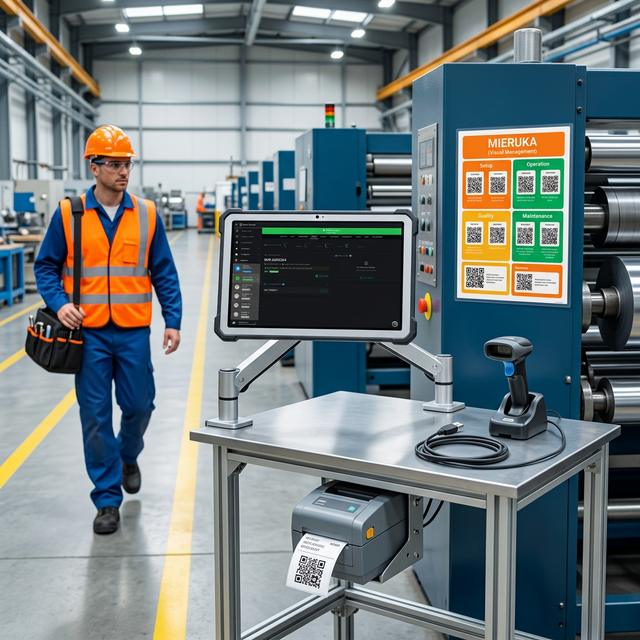
Complete Mieruka station with a QR Actions poster, tablet, and scanner

The complete action catalog

Every action has a physical QR at the workstation. The operator does not memorize menus — they just scan the right QR.

🏭

WIP (Work In Progress)

Create WIP
Creates a new part, queues it, and prints it. Inherits context from Setup.
create-wip
Create and Load
Creates a WIP and loads it straight onto the active machine.
create-and-load
Complete Active
Completes the part currently in process.
complete-active
🖨️
Complete + Print
Completes the WIP and prints a label for the next workstation.
complete-print
⚙️

Machine Operation

▶️
Start Production
Starts the machine and begins measuring availability.
start-production
⏸️
Pause
Pauses the machine and logs downtime with a reason.
pause
▶️
Resume
Resumes production after a pause.
resume
🔚
End of Shift
Closes the shift or job and clears the active operation.
end-shift
📦

Material & Lots

📥
Load Material
Loads a LOT into the workstation's Material Bay.
load-material
📤
Unload Material
Removes a LOT from the Material Bay.
unload-material
🔗
Consume Material
Links a LOT to the part currently in process.
consume-material
🚨

Alerts & Support

🚨
Andon
Alerts the supervisor or maintenance with automatic escalation.
andon
📞
Call Someone
Push notification to a specific person or group.
call-person
🖨️
Reprint
Reprints the last label generated.
reprint-last

How it works in practice

QR Actions live as physical stickers at the workstation (the Mieruka system).
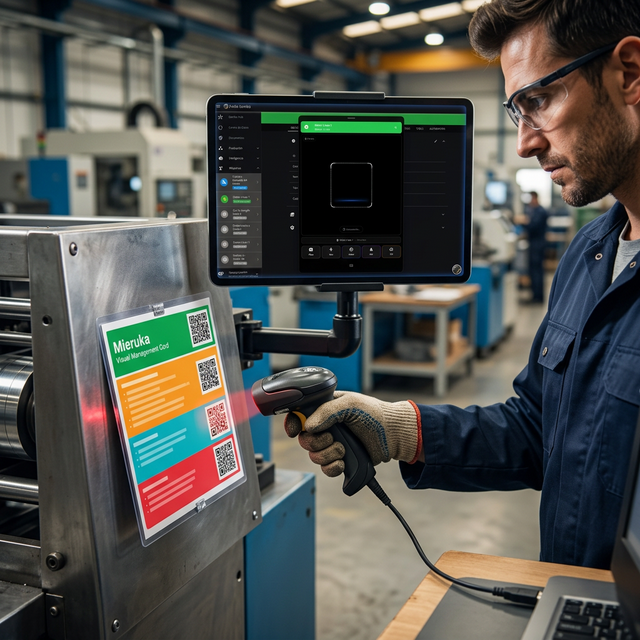
Operator scanning a QR Action on a workstation Mieruka poster
MIERUKA

Physical QRs at every workstation

Every Mieruka poster has QR Actions organized by color: green to create, cyan to complete, amber to pause, red to alert. The operator knows what to do just by looking at the colors.

  • 🟢 Green: Create / Start / Resume
  • 🔵 Cyan: Complete / Close / Release
  • 🟡 Amber: Pause / Wait / Setup
  • 🔴 Red: Alert / Stop / Andon
INHERITANCE

Automatic context on every action

Every action automatically inherits the context from the Setup phase: work order, product, BOM, material, pallet. The operator does not enter data manually — they just confirm.

  • Inheritance from work order → product → BOM
  • Automatic lineage in the Knowledge Graph
  • Auto-print configurable per machine
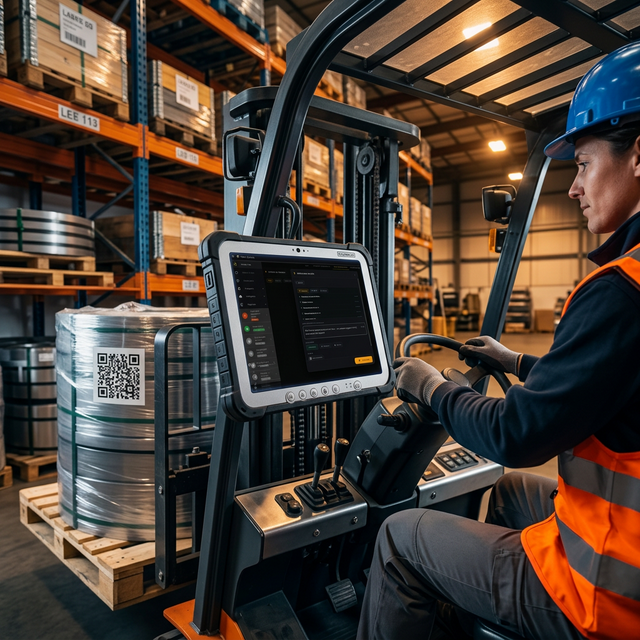
Pallet scanned with a forklift and a material-load QR action

One scan.
One action.

No complex training. No endless menus. The operator scans and acts.

See Mieruka